
A client asks if they can stream their annual meeting for colleagues who cannot travel. Someone suggests a laptop on a tripod and the venue's Wi-Fi. On the day, remote attendees hear echo, lose the feed during the keynote and watch a dark silhouette in front of a bright window.
Hybrid events need more than a camera and a password. A venue that understands the pieces can offer hybrid as a reliable product, price it properly and avoid the call from an unhappy client the next morning.
What Does a Venue Need for a Hybrid Event Setup?
A hybrid event setup needs a room that can be lit and filmed, a dedicated and reliable internet connection for the stream, clean audio from every speaker sent directly to the stream, at least one well-placed camera, a way for remote participants to be heard and seen when needed and a technician to run it all. The venue also needs a clear way to price each level of service.
The general question of whether to own AV equipment is a separate decision. This guide covers what hybrid events specifically require.
The Room
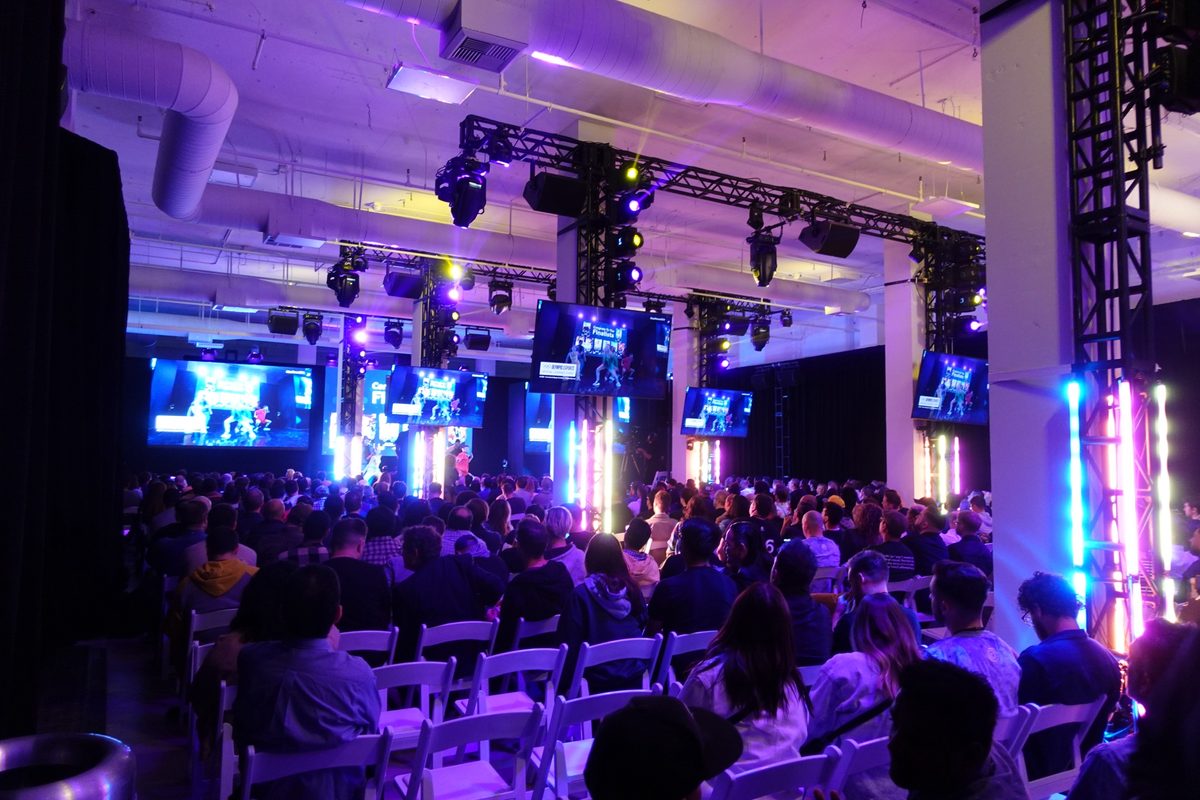
The room has to work for two audiences at once. The people in the seats need to see and hear, and the camera needs a clear, well-lit view of the stage.
Light the presenters from the front with soft, even light, and avoid placing the stage in front of windows or bright screens that turn speakers into silhouettes. Choose a simple backdrop. Leave space for a camera position with a clear line to the stage that does not block the in-room audience, often at the back of the room or on a riser.
Plan where remote presenters will appear. A screen beside the stage lets the room see them, and a camera view of the room lets them see the audience.
The Network
The stream is only as reliable as its connection. Use a dedicated, wired connection for the streaming equipment, separate from guest Wi-Fi and the venue's own operations.
Check the upload speed, since streaming sends data out rather than pulling it in. The platform the client uses will recommend a minimum upload speed for its stream quality, and the connection should have comfortable headroom above that. For important events, add a backup connection, such as a second internet line or a cellular backup, that can take over if the main line drops.
Test the full path from the venue to the platform at the same time of day as the event, ideally during your rehearsal.
Audio
Audio problems end hybrid events faster than video problems. Remote attendees will tolerate a soft image but not echo, hum or a speaker they cannot hear.
- Microphones for every speaker and panelist, plus audience mics for questions
- A direct feed from the sound mixer to the streaming system
- A separate mix for remote presenters so they do not hear their own echo
- Headphone monitoring so the technician hears what remote attendees hear
Never rely on a laptop's built-in microphone to capture a room. It picks up the room's echo and misses half the speakers.
Cameras and Production Levels
Hybrid events come in different sizes, and the production level shapes the cost. A basic setup uses one fixed camera on the stage and shares the presenter's slides. A mid-level setup adds a second camera for wide and close views and a switcher. A full production adds camera operators, graphics, recorded segments and a dedicated producer.
Agree the level with the client before you quote. Many clients picture television quality and budget for a single camera, so a short call about what remote attendees will see saves an awkward conversation later.
Staffing
Someone must run the stream from start to finish. At a minimum, one technician manages audio, video and the connection. Larger events add a producer who manages the remote audience, a moderator for remote questions and camera operators.
Schedule a rehearsal with the presenters, the technician and any remote speakers, ideally the day before. It is the single best way to catch audio, lighting and connection issues early.
Pricing Hybrid Events
Price hybrid as a package with clear levels, so clients can compare options quickly.
- A basic package with one camera, slides, audio feed and a technician
- A standard package with two cameras, a switcher and remote presenter support
- A full production package quoted to the client's brief
- Add-ons such as a dedicated network, a backup connection and a rehearsal
Include the technician's hours for setup, rehearsal, the event and teardown, and the cost of any equipment you rent from a partner. Hybrid work takes longer to set up than a standard meeting, so build that time into the price.
Setup Checklist for the Day
On event day, run through the same checks in the same order. Confirm the wired connection and backup, then test audio from every microphone through the stream. Check camera framing, focus and lighting for each presenter position and connect and test any remote presenters.
Start the stream to a private test link before doors open, watch it on a separate device and fix what you see. Keep the technician's station staffed for the full event.
A hybrid event works when the people at home forget they are not in the room.
Frequently Asked Questions
What equipment do you need for a hybrid event?
At a minimum, a hybrid event needs a camera, microphones for every speaker, a direct audio feed to the stream, a computer or encoder to send the stream, a dedicated wired internet connection and a technician. Larger events add cameras, a switcher, screens for remote presenters and a producer.
How much internet speed do you need for a hybrid event?
It depends on the platform and stream quality. Check the platform's recommended upload speed for the resolution you plan to stream, then use a dedicated wired connection with comfortable headroom above that. A backup connection protects important events.
How do you avoid echo on a hybrid event?
Send audio directly from the sound mixer to the stream, give remote presenters a separate mix without their own voice and avoid open laptop microphones in the room. A technician with headphones should monitor the stream throughout.
How should a venue price a hybrid event?
Many venues offer tiered packages, from a single-camera basic stream to a full production, plus add-ons such as a dedicated network and rehearsal time. Include technician hours for setup, rehearsal, the event and teardown.